OnionLand Search
OnionLand Search
About 20,965 results found.
(Query 0.02300 seconds)
All
Images
Tor Wiki
deepweb4wt3m4dhutpxpe7d7wxdftfdf4hhag4sizgon6th5lcefloid.onion
Sommelier Shop
deepweb4wt3m4dhutpxpe7d7wxdftfdf4hhag4sizgon6th5lcefloid.onion
heetyqcu7axy3fjzqd7mynumdvrnjwgxlvn5qxnp2rndgmzx24pywmqd.onion
The Complete Botnet Development
za4sn4ai4beyfpesrmbdnjrwewpyasb5yzvgqzxr62ngabmtixxlejid.onion
privacyy3tsy4mge4qmg4nsid2vnhl7szzupphhkfsxvayx5tl2ztbqd.onion
The Complete Metasploit Framework
za4sn4ai4beyfpesrmbdnjrwewpyasb5yzvgqzxr62ngabmtixxlejid.onion
The Art of Corporate Espionage
za4sn4ai4beyfpesrmbdnjrwewpyasb5yzvgqzxr62ngabmtixxlejid.onion
After clicking the UnZip, the file content is unziped in the same directory.
dwebkjkovsjobzrb45dz6prnlifnapiyp2dba33vcmcsaikr2re4d5qd.onion
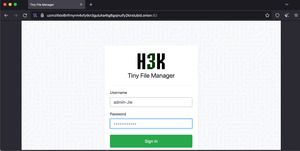
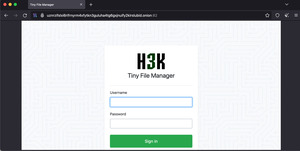
Then, the file manager authentication page is shown, you should input the Web Portal Form credential, which is displayed on our Customer Portal, in the File Manager Credential section.
dwebkjkovsjobzrb45dz6prnlifnapiyp2dba33vcmcsaikr2re4d5qd.onion
If you want to upload a lot of files to your onion service, you should zip your folder, and upload to your www-folder. After you have uploaded your zip file, click the zip file.
dwebkjkovsjobzrb45dz6prnlifnapiyp2dba33vcmcsaikr2re4d5qd.onion
You can drag your folders or files from your local system to the file manager. Or you can click the Drop file here to upload area to open dialog for you to select folders or files from your local system.
dwebkjkovsjobzrb45dz6prnlifnapiyp2dba33vcmcsaikr2re4d5qd.onion
After successful upload, the tick mark is appeared to indicate that the file is upload successfully.
dwebkjkovsjobzrb45dz6prnlifnapiyp2dba33vcmcsaikr2re4d5qd.onion
The file manager shows your files located in your www-folder. Click Upload to transfer file from your local system
dwebkjkovsjobzrb45dz6prnlifnapiyp2dba33vcmcsaikr2re4d5qd.onion
Then, the file manager authentication page is shown, you should input the Web Portal Form credential, which is displayed on our Customer Portal, in the File Manager Credential section.
dwebkjkovsjobzrb45dz6prnlifnapiyp2dba33vcmcsaikr2re4d5qd.onion
On our Customer Portal, click your Onion Service, and navigate to the File Access tab.
dwebkjkovsjobzrb45dz6prnlifnapiyp2dba33vcmcsaikr2re4d5qd.onion
y7yea4pmqqtznb33qiugvysyn2bob5v62e4pvoadoibrwkq3tsddjeyd.onion
ssd.iykpqm7jiradoeezzkhj7c4b33g4hbgfwelht2evxxeicbpjy44c7ead.onion
y7yea4pmqqtznb33qiugvysyn2bob5v62e4pvoadoibrwkq3tsddjeyd.onion
ssd.iykpqm7jiradoeezzkhj7c4b33g4hbgfwelht2evxxeicbpjy44c7ead.onion
y7yea4pmqqtznb33qiugvysyn2bob5v62e4pvoadoibrwkq3tsddjeyd.onion
y7yea4pmqqtznb33qiugvysyn2bob5v62e4pvoadoibrwkq3tsddjeyd.onion
y7yea4pmqqtznb33qiugvysyn2bob5v62e4pvoadoibrwkq3tsddjeyd.onion
y7yea4pmqqtznb33qiugvysyn2bob5v62e4pvoadoibrwkq3tsddjeyd.onion
y7yea4pmqqtznb33qiugvysyn2bob5v62e4pvoadoibrwkq3tsddjeyd.onion
y7yea4pmqqtznb33qiugvysyn2bob5v62e4pvoadoibrwkq3tsddjeyd.onion
y7yea4pmqqtznb33qiugvysyn2bob5v62e4pvoadoibrwkq3tsddjeyd.onion
maidzonekwrk4xbbmynqnprq2lu7picruncfscfwmyzbmec6naurhyqd.onion
maidzonekwrk4xbbmynqnprq2lu7picruncfscfwmyzbmec6naurhyqd.onion
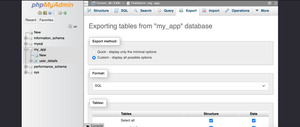
In the Export method: section, click Custom
dwebkjkovsjobzrb45dz6prnlifnapiyp2dba33vcmcsaikr2re4d5qd.onion
Scroll to the bottom, click Export
dwebkjkovsjobzrb45dz6prnlifnapiyp2dba33vcmcsaikr2re4d5qd.onion
Scroll to the phpMyAdmin Credential, you will see your phpMyAdmin info and its credential.
dwebkjkovsjobzrb45dz6prnlifnapiyp2dba33vcmcsaikr2re4d5qd.onion
Scroll to the Output: section, for compression, select zipped
dwebkjkovsjobzrb45dz6prnlifnapiyp2dba33vcmcsaikr2re4d5qd.onion
dwebkjkovsjobzrb45dz6prnlifnapiyp2dba33vcmcsaikr2re4d5qd.onion
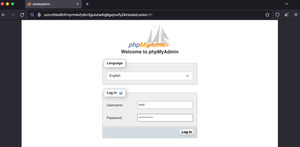
You should see the phpMyAdmin landing page.
dwebkjkovsjobzrb45dz6prnlifnapiyp2dba33vcmcsaikr2re4d5qd.onion
You should input your database root credential, which is displayed on our Customer Portal, in the Database Credential section.
dwebkjkovsjobzrb45dz6prnlifnapiyp2dba33vcmcsaikr2re4d5qd.onion
The phpMyAdmin success message is shown.
dwebkjkovsjobzrb45dz6prnlifnapiyp2dba33vcmcsaikr2re4d5qd.onion
Click New in the left hand side menu to create new database.
dwebkjkovsjobzrb45dz6prnlifnapiyp2dba33vcmcsaikr2re4d5qd.onion
maidzonekwrk4xbbmynqnprq2lu7picruncfscfwmyzbmec6naurhyqd.onion
dwebkjkovsjobzrb45dz6prnlifnapiyp2dba33vcmcsaikr2re4d5qd.onion
dwebkjkovsjobzrb45dz6prnlifnapiyp2dba33vcmcsaikr2re4d5qd.onion
dwebkjkovsjobzrb45dz6prnlifnapiyp2dba33vcmcsaikr2re4d5qd.onion
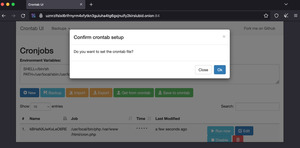
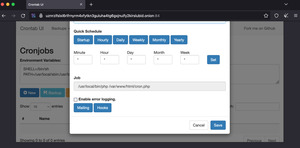
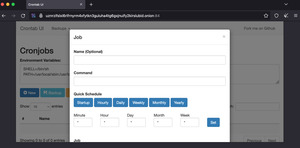
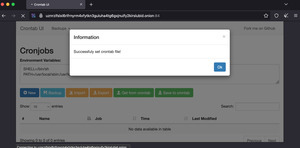
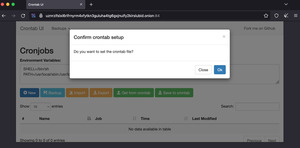
Enter the environment variables, and click Save to crontab
dwebkjkovsjobzrb45dz6prnlifnapiyp2dba33vcmcsaikr2re4d5qd.onion
The phpMyAdmin login screen is shown.
dwebkjkovsjobzrb45dz6prnlifnapiyp2dba33vcmcsaikr2re4d5qd.onion
Click the Import from the top navigation. The maximum file size allows is 80MB.
dwebkjkovsjobzrb45dz6prnlifnapiyp2dba33vcmcsaikr2re4d5qd.onion
4jndbnscrvmljnl3vynggebzvi5saz5gllk3iksdskgkmoq5oaqtxrqd.onion
4jndbnscrvmljnl3vynggebzvi5saz5gllk3iksdskgkmoq5oaqtxrqd.onion
maidzonekwrk4xbbmynqnprq2lu7picruncfscfwmyzbmec6naurhyqd.onion
tzoz3bensgxyzs7da7lpgsn3a74h7hlbm4wa6ytq2tg6ktd57w22vqqd.onion
Page:
77
78
79
80
81